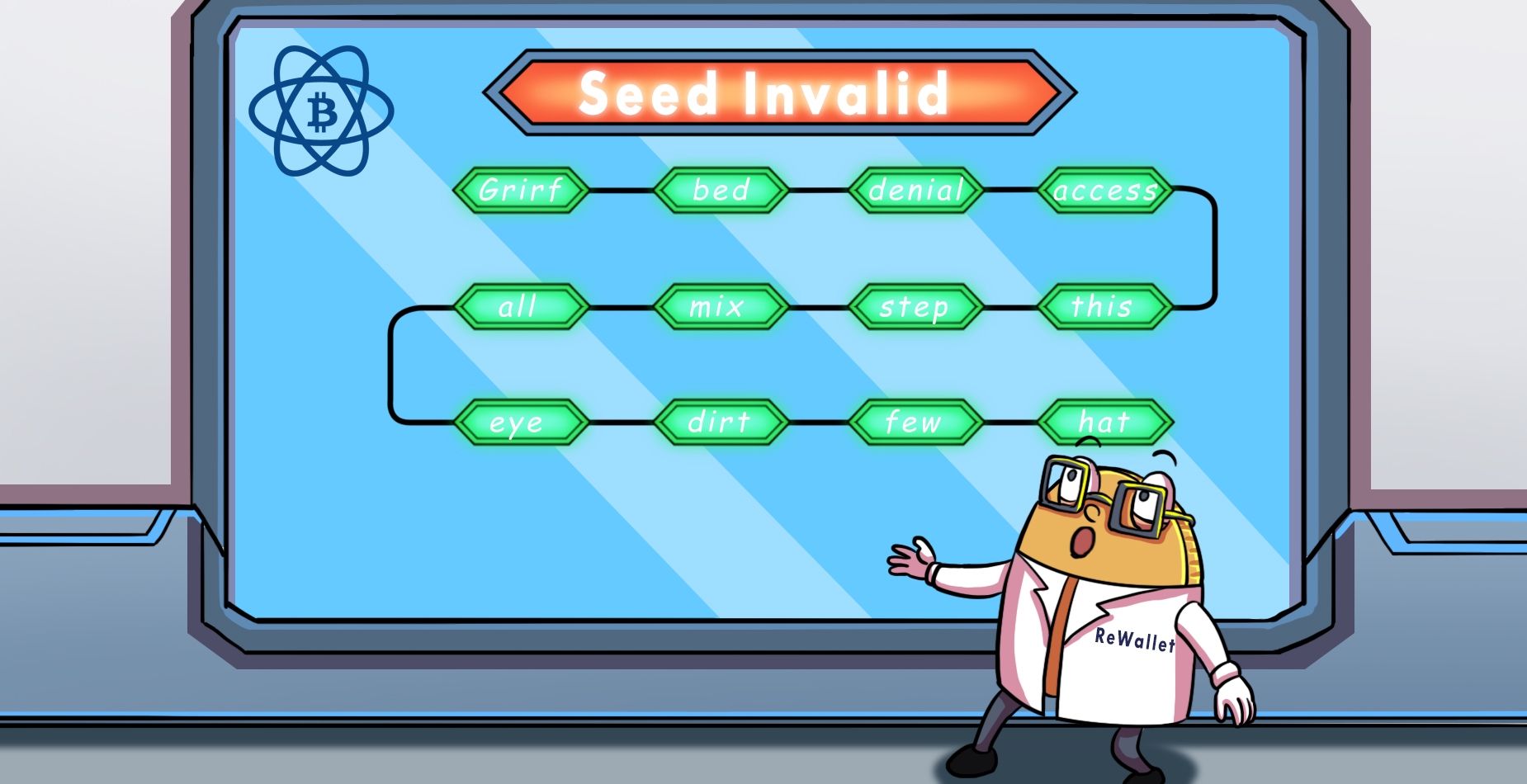

The “Electrum custom word extension” has caused a lot of confusion for some Bitcoin holders. Although this extra word or phrase functions like the optional passphrase found in other crypto wallets, there are a lot of questions about how to use it for Electrum wallet recovery. Plus, as GitHub discussions on the naming of this "Electrum extra word" show, people can't even agree on the feature's official name, so finding and interpreting information online is extra challenging.
Whether you know it as the "Electrum 13th word," the "seed extension," the "custom word extension" or the "Electrum passphrase," it's important to clear away any misunderstandings so you know how to use it for wallet recovery. Let's break down what the Electrum custom word extension is, how to tell whether you used one, and what to do if it isn't working.
Explaining the Electrum Custom Word Extension
In essence, the Electrum custom word is an optional piece of information you add on top of your Electrum seed phrase. This could be as simple as a single word or as complex as a phrase with numbers and special characters.
The purpose behind Electrum's seed extension is the same as with any optional passphrase: greater security. The extension creates a completely separate wallet on top of your seed. Even if a thief discovered your Electrum seed phrase, they would still need the correct custom word to reach the funds in this extended wallet.
Some users take this a step further and use it for plausible deniability. They keep a small amount of Bitcoin in the standard wallet (the seed without the extension) and the main funds in the extended wallet. If someone forces them to reveal their seed, the attacker finds a believable but small balance, while the main funds stay hidden. The decoy only works if it holds some funds, since an empty wallet would raise suspicion.
The downside: if you lose or forget your custom word, there's no way to access the Bitcoin stored in the extended wallet. The upside: if you only find a small amount of your BTC in your wallet, you may just be missing the custom word extension and can almost certainly say that your seed phrase is correct.
Developers introduced the Electrum custom word extension with Electrum Release 2.7.0 in October 2016. This date matters for recovery: if your wallet was created with an earlier Electrum version, it can't have a custom word extension and an empty wallet after restoring points to a different cause. Our Electrum wallet recovery guide covers those other causes.
What’s the Difference Between the Electrum Custom Word and a BIP-39 Passphrase?
Both the Electrum custom word and a BIP-39 passphrase act as an additional layer of security on top of a seed phrase, and both open a completely different wallet when entered incorrectly. For everyday users, the experience of using either of these phrases feels nearly identical.
The differences are under the hood. Modern Electrum seeds use the same 2,048 words as BIP-39, but Electrum processes the words and the extension in its own way. It converts the custom word to lowercase and removes accents and extra spaces, while a BIP-39 passphrase is used exactly as typed. The two systems also combine seed and extension differently, so an Electrum custom word only works with an Electrum seed. BIP-39 passphrases, by contrast, work across BIP-39-compatible wallets such as Ledger, Exodus or Trezor.
If you need more details on Electrum’s seed or general advice on restoring this wallet, you can read ReWallet’s comprehensive Electrum wallet recovery guide.

Need Help Recovering your Electrum Custom Word Extension?
Is your Electrum custom word extension not working and your wallet showing an empty balance? ReWallet specializes in Electrum seed extension recovery and can help you regain access to your Electrum wallet.
Recover your Electrum walletDid You Even Use an Electrum Custom Word Extension? How to Tell
Many people don't remember whether they added a custom word years ago. These signs point to an extension:
- Electrum accepts your seed and shows a seed type, but the restored wallet is empty and the addresses look unfamiliar.
- Your wallet was created with Electrum 2.7 (2016) or later. Older wallets can't have an extension.
- You wrote down a 13th word or a short phrase next to your seed. In wallets created with Electrum 2.7 or later, that is most likely the extension.
- You know an address or a transaction from your old wallet (for example, from an exchange withdrawal), and it doesn't appear in the restored wallet.
- If Electrum labels your seed phrase "old" during the restore/import, it can't have a custom word extension. Check the words and their order instead.
- The restored wallet shows a balance, but it's much smaller than you expected. If you used the extension for plausible deniability, you may have restored the decoy wallet and your main funds sit behind the custom word.
The most reliable check is the address: every correct extension candidate must produce your old receiving addresses. If you know one of your old addresses, compare it with the addresses Electrum shows after each attempt.
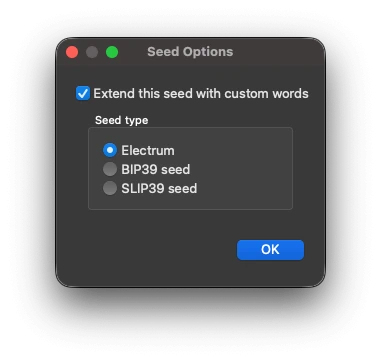
To restore your wallet with the extension, follow the step-by-step instructions in our Electrum wallet recovery guide.
Many users stored their custom word separately from their seed, as recommended. Check password managers, old notebooks, notes apps and any documents you kept from around the time you set up the wallet.
Common Reasons Your Electrum Custom Word Isn’t Working
If you entered your correct seed phrase and your custom word but your wallet is empty, there’s a good chance the custom word isn’t correct. In most cases, the extension was entered slightly differently from how it was originally set up. More rarely, a software bug prevents the extension from being applied.
Errors in Your Electrum Custom Word Extension
Any differences between the actual and wrong custom word will create a completely different Electrum wallet address. Unfortunately, Electrum won’t tell you if you’ve entered a wrong custom word, so you have to be extra vigilant about common mistakes, like:
- Similar character confusion: Characters like “0” (zero) versus the letter “O” or the number “1” versus “l” (lowercase L) are common culprits.
- Wrong seed paired with correct custom word: If you have multiple Electrum wallets, you may be entering the right custom word with the wrong seed, or vice versa.
- What doesn't matter: Unlike a BIP-39 passphrase, an Electrum custom word is not case-sensitive. Electrum also ignores accents, spaces at the beginning or end and double spaces. "Password", "password" and " PASSWORD " all open the same wallet. A single space between words does count, though: "my wallet" and "mywallet" produce different wallets.
Electrum Custom Word Extension Bugs
Software bugs can also get in the way. In Electrum 4.5.3, for example, a known bug meant Electrum didn't ask for the custom word when restoring certain older 2FA wallets, which made the restore impossible. If Electrum never asks for your extension even though you selected "Extend this seed with custom words," update to the latest version from electrum.org and try again.
If you suspect you’re dealing with one of these bugs, you’ll need the guidance of a professional wallet recovery expert to navigate the Electrum recovery process. At ReWallet, we’re familiar with these more complex issues and have helped users recover Electrum wallets affected by them. Reach out to our professional wallet recovery service for an assessment to get started with your Electrum wallet recovery.
Electrum Custom Word Not Working? Here’s What You Can Do
If your wallet shows no balance after entering your seed and custom word, don’t give up hope. There are strategies and resources you can use to increase your odds of a successful Electrum wallet recovery.
Try Recalling and Testing Your Electrum Custom Word
First, think back to the types of passwords you typically used when you set up your Electrum wallet. If you have any old password books or documents, you might get some clues here to generate ideas. Be sure to write down every variation of the custom word you think you might have used. Because Electrum ignores capitalization and extra spaces, focus your variations on spelling, numbers, special characters and word combinations.
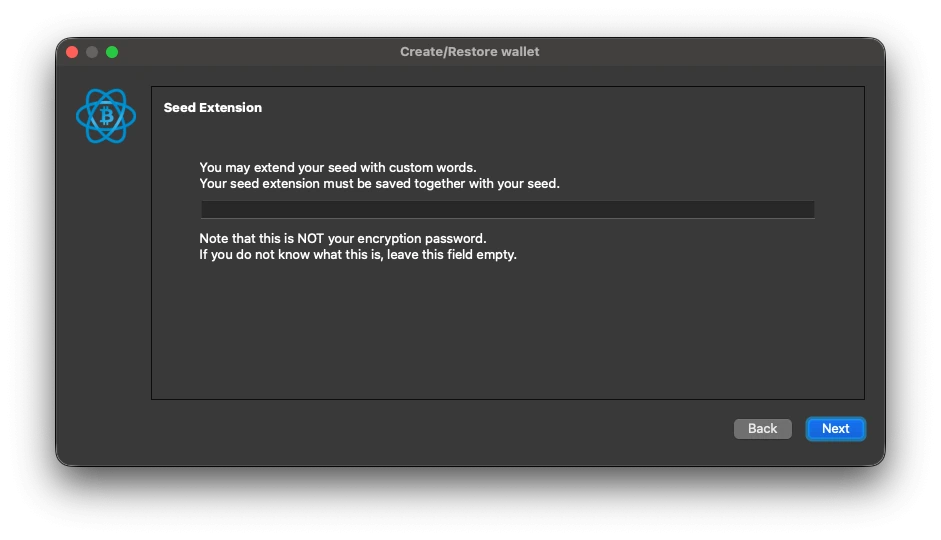
When you have a shortlist of candidates, test each one and log every attempt so you don't repeat yourself. If you know one of your old addresses, compare it after each attempt: once it appears, you've found the right custom word. Also, always double-check that you're using the correct seed phrase if you have multiple Electrum wallets.
Reach Out to a Professional Wallet Recovery Service
If your best efforts at Electrum recovery still aren’t producing results, it’s time to contact a professional wallet recovery service. ReWallet’s team has helped many clients resolve Electrum wallet recovery issues, including cases with Electrum custom word extensions.
Reach out to ReWallet today. The evaluation of your case is free and we work on a success-fee basis — no recovery, no cost.
FAQs on the Electrum Custom Word Extension
The only way to add this passphrase to an existing wallet is to restore it using the seed phrase and click “Extend this seed with custom words” in the Options button during recovery. This allows you to effectively create a new wallet with the same seed but extended with a custom word.
Just remember, this is a completely different wallet with a different address from the original one. If you want to transfer your funds from the original Electrum wallet, you need to send them to the new one with the custom word extension.
Note that comparing your words against the BIP-39 wordlist won't settle it: modern Electrum seeds (version 2.0 and later) use the same 2,048 words as the BIP-39 standard. Words that are not on the BIP-39 list, however, point to a legacy Electrum seed from before 2015. For a full step-by-step check, see our guide on invalid Electrum seeds.